

The Human Input node pauses workflows at key points to deliver a customizable request form. Recipients can use the form to review information, provide input, and choose from predefined decisions that determine how the workflow proceeds. By embedding human judgement directly where it matters, you can balance automated efficiency with human oversight.Documentation Index
Fetch the complete documentation index at: https://dify-6c0370d8-laipz8200-docs-plugin-model-providers-cache-t.mintlify.app/llms.txt
Use this file to discover all available pages before exploring further.
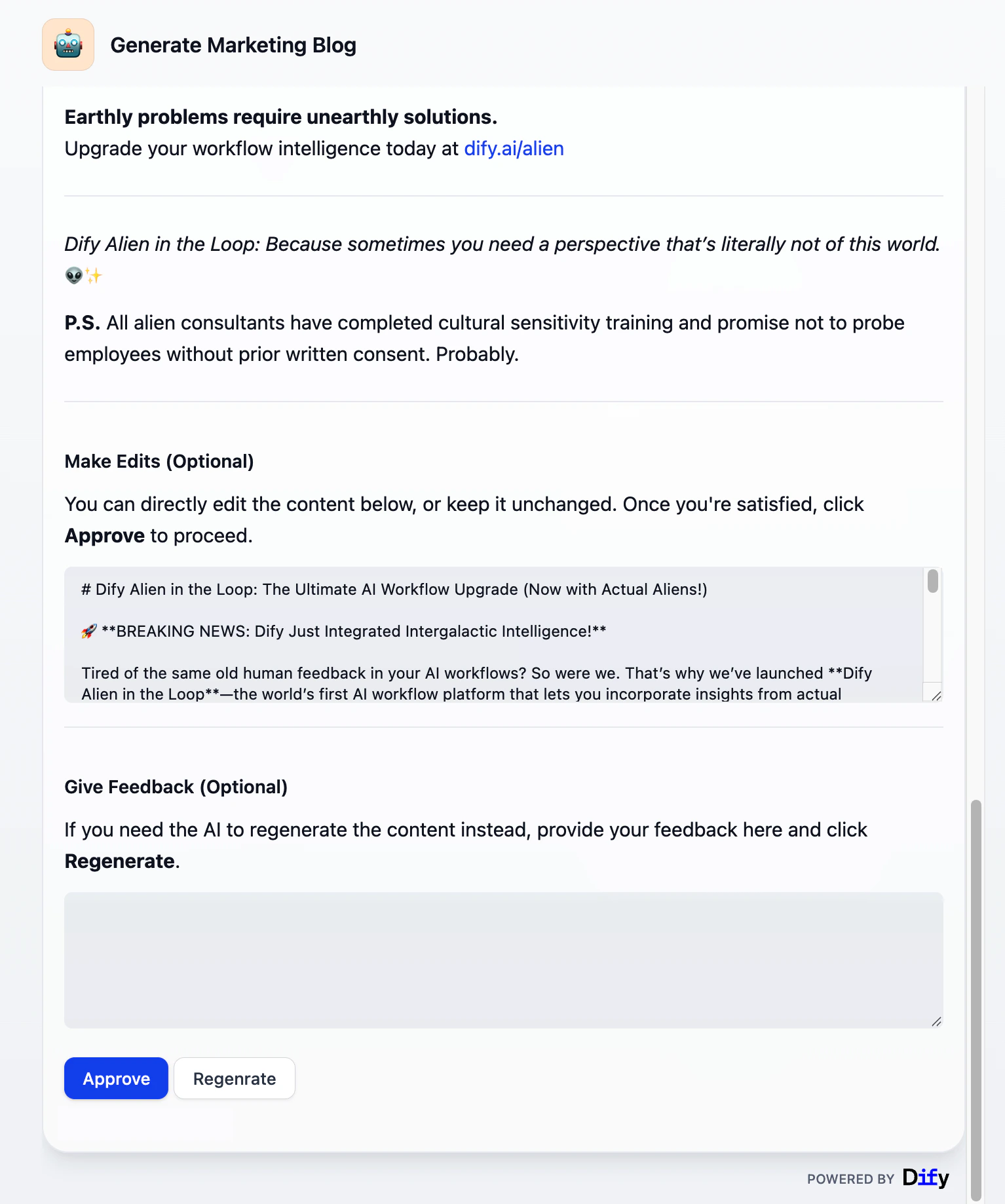
Configuration
Configure the following to define how the node requests and processes human input:- Delivery method: How the request form reaches recipients.
- Form content: What information recipients will see and what they can interact with.
- User action: What decisions recipients can make and how the workflow proceeds accordingly.
- Timeout strategy: How long to wait and what happens if no recipient responds.
Delivery Method
Choose the channel through which the request is delivered. Currently available methods:-
Web app: Displays the request form to the WebApp end user. Not available in workflows started by a Trigger.
External clients can also retrieve and submit WebApp forms through the Service API. See Get Human Input Form.
- Email: Sends a request link via email to specific workspace members, external email addresses, or every member of the workspace. Anyone with the link can respond, no Dify account required.
The request closes after the first response regardless of delivery method.
Form Content
Customize the form recipients see and interact with:- Format and structure with Markdown Use headings, lists, bold text, links, and other Markdown elements to present information clearly.
- Display dynamic data with variables Reference workflow variables to show dynamic content, such as AI-generated text for review or any needed contextual information from upstream nodes.
- Collect input with input fields Input fields can start empty or pre-filled with variables (e.g., LLM output to refine) or static text (e.g., example or default values) that recipients can edit. Each input field becomes a variable for downstream use. For instance, pass edited content for further processing or send feedback to an LLM for content revision.
__rendered_content variable.
User Action
Define the decision buttons that recipients can click, each routing the workflow to a different execution path. For example, aPost branch might lead to nodes that trigger content publishing, while a Regenerate branch might loop back to an LLM node to revise the content.
Each button has a display title and an action ID. When a button is clicked, its ID is exposed downstream as __action_id and its title (button text) as __action_value.
